
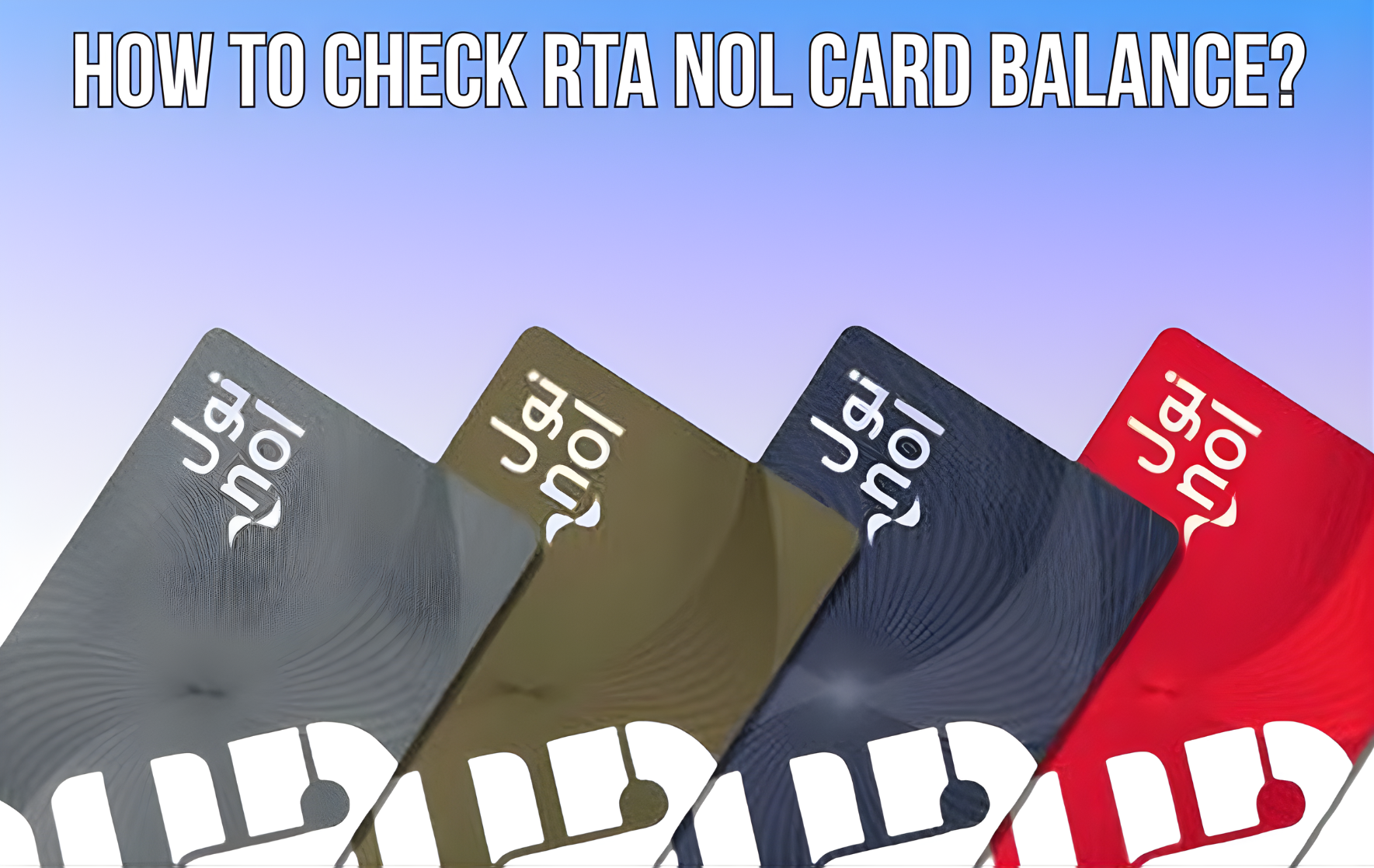

Do you use the metro train, tram, bus or any other RTA public transport service in Dubai?, So make sure you check your Nol card balance regularly, otherwise you may have to pay a hefty penalty. But how can you check your Nol card balance? in 2026? Whether you prefer to check your Dubai NOL Card balance via SMS, the official RTA website, or with your transaction history, you’re in the right place to find out how!
Now you can easily check your NOL card balance online or offline just like you can check via SMS, at Dubai metro stations. online via RTA official website, or offline.
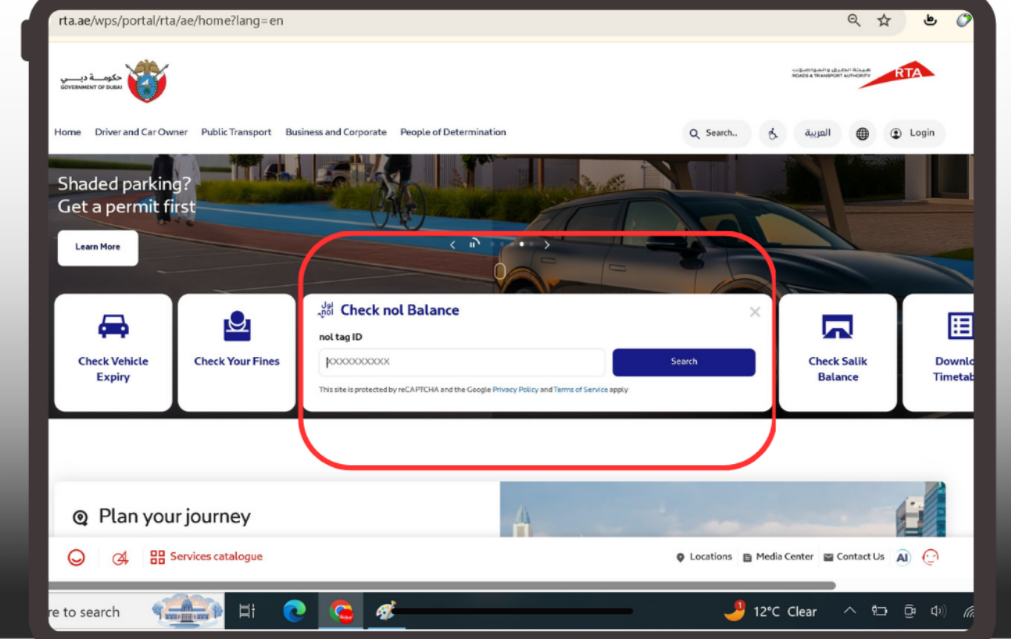
To check your NOL Card balance on the RTA website, go to Home Page > Select Public Transport and then click on the “Check NOL Balance” button.

Follow the steps below to check your Nol card balance through the given form.
Step 1: Enter NOL Card ID
Find the input field labeled “NOL Card Tag ID” and then enter the 10-digit ID of your NOL card.
Step 2: Submit the Form
Now click on the button labeled “Check NOL Card Balance”
Step 3: Check the Balance on the RTA Website
For checking the balance on RTA website, just click on “Check nol Balance”, type your nol card “nol tag ID” and then press the “Search” button.
Checking your Nol card balance is essential for a smooth travel experience on Dubai’s public transport network. There are several easy ways to track your balance. The RTA’s official website and the RTA Dubai official mobile app offer easy options to check and recharge your Nol card online.
NOL Card Balance Check via RTA Website
If you use a NOL card to travel on the metro and buses or pay for parking, you may want to occasionally check the remaining balance on your card.
Here is a step-by-step guide to check your RTA NOL card balance by number:
Step 1: Visit the RTA Website
Open your preferred browser and head to the official RTA website.
Step 2: Locate “Check nol Balance” Services
Once you are on the main page, go to the “Check Null Balance” section. This is where all the magic happens!
Step 3: Enter NOL Tag ID
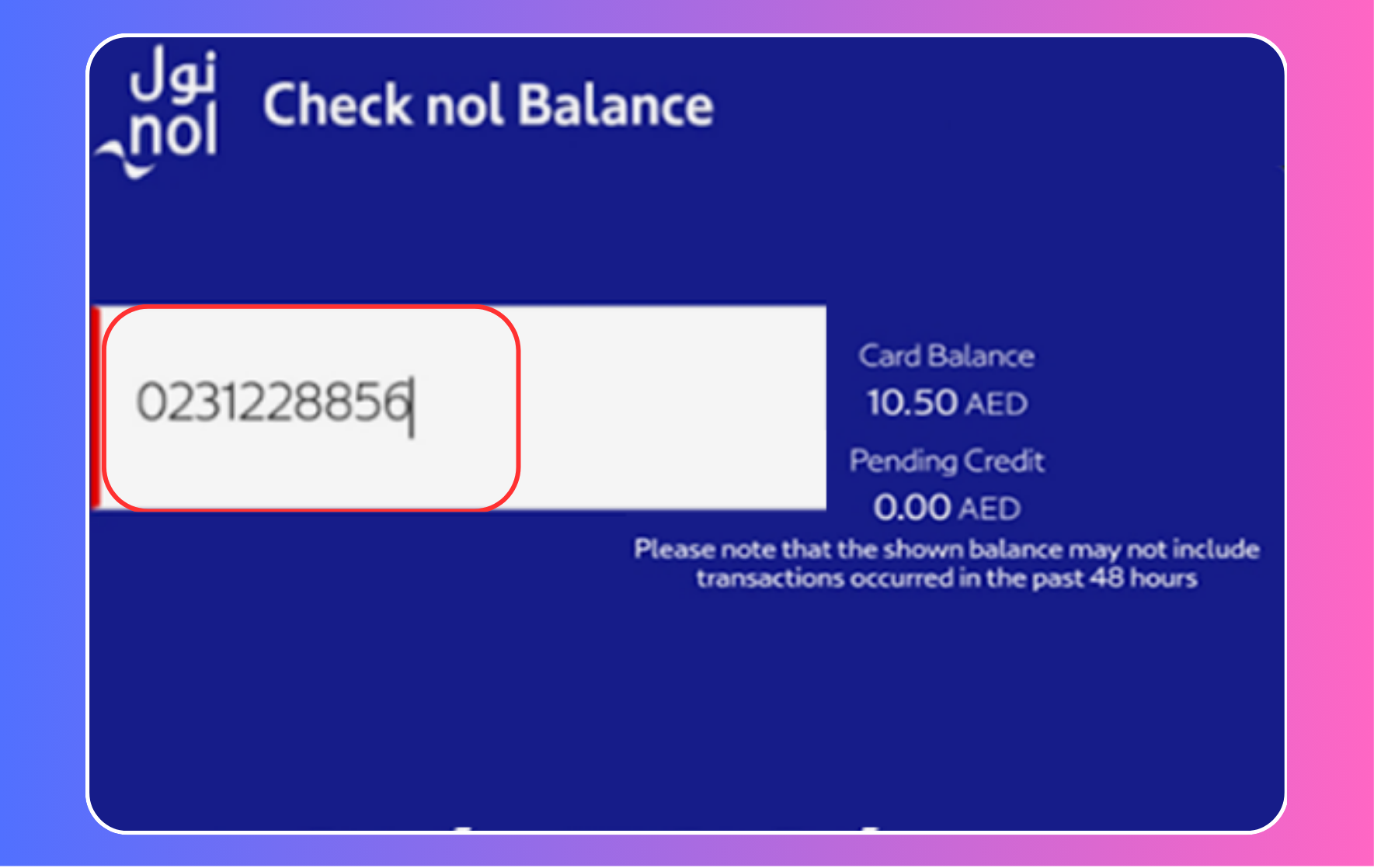
Type your 14-digit nol card Tag ID number in the field provided in the box. Which can be found on the back of the card.

Step 5: Hit the “Search” button
After inputting all your details, press the “Search” button to proceed.
Step 6: Check Your Balance
The website will show your NOL card’s current balance, any pending credit, and expiration date, helping you plan your trips accordingly.
Checking NOL Card Balance via SMS
To check your NOL card balance via SMS, follow these simple steps:
Step 1: Compose a New SMS
Open the messaging app on your mobile phone.
Step 2: Include Your NOL Card ID
In the body of the message, enter your “NOL Card Tag ID,” which is the 14-digit number on your card.
Step 3: Send the SMS
Once you’ve entered the correct NOL tag, send the message to “511”.
Step 4: Wait for the Reply
After sending the SMS, your mobile number will be registered with RTA.
Step 5: Check NOL Balance
From now on, to check your balance, simply text BAL to 511. You will receive a response with your current NOL balance.
This SMS service allows users to receive balance information directly on their mobile phone by texting their NOL card details.
Check NOL Card History
NOL Card is a smart card for public transport in Dubai, enabling convenient travel on the metro, buses, water buses and trams. Checking your NOL Card history allows you to view detailed records of all transactions, including trips, top-ups and dates.
Right below, we’ve prepared a super easy guide on how to check your NOL card history so you can recap your NOL card adventures.
- Navigate to the nol Card Transaction History page.
- Type your nol tag ID.
- Pass the human verification.
- Click on the Next button.
Checking Your NOL Card Balance at Metro Stations
Checking your NOL card balance at Dubai Metro stations is quick and easy. Self-service kiosks are available at each station, where you can simply tap your NOL card on the designated reader.
The screen instantly displays your current balance, letting you know the status of your card before you travel. These kiosks also allow you to top up your card, making them a convenient one-stop solution for all your NOL card needs.
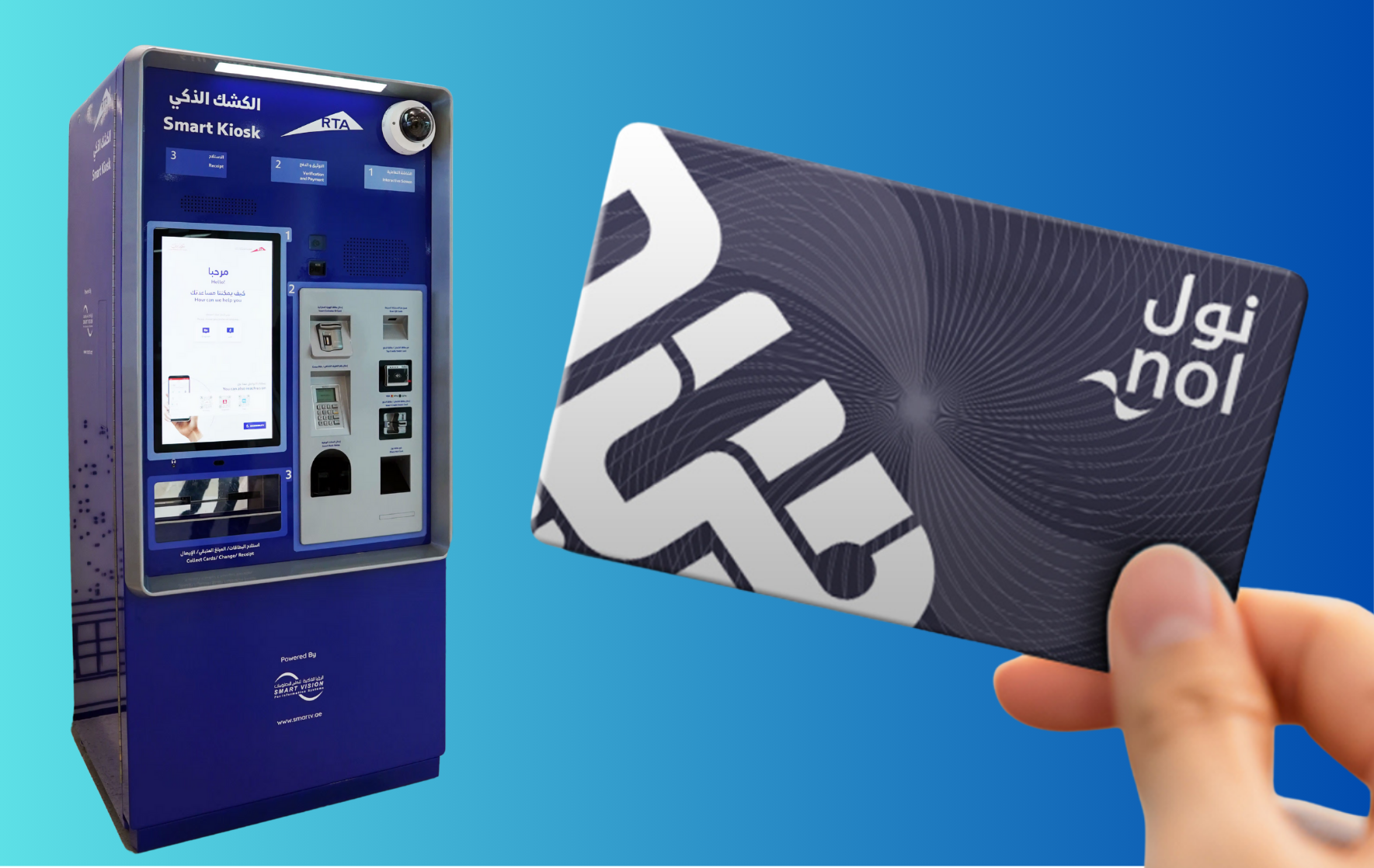

You can also check your NOL card balance at the metro station using these simple steps.
Step 1: Step 4: Locate a Machine
Go to any ticket vending machine or any balance inquiry device at the metro station.
Step 2: Tap Your Card
Tap your NOL card in the designated card reading area of ticket vending machine.
Step 3: Check the Screen
Your current balance will be displayed on the screen instantly.
Step 4: Top Up if Needed
You can use the same ticket vending machine to recharge your card if your balance is low.
Step 5: Proceed with Your Journey
By knowing your balance, you can continue with your travel plans with confidence!
Ticket vending machines at Dubai metro and bus stations, along with dedicated balance checking devices at metro stations, provide quick and easy balance enquiries. For personal assistance, customers can visit RTA Customer Service Centers across the city.
Checking NOL Card Balance History via the RTA App
Having the RTA NOL app at hand allows you to check your balance history and access many other useful features, making your journey in Dubai smoother and more convenient.
So, you can check your NOL card balance history via the RTA NOL app easily.
Step 1: Download & Install
Make sure you have the RTA NOL app installed on your smartphone. If not, download it from your app store (iOS or Android).
Step 2: Log In
Open the app and sign in with your credentials. If you haven’t registered yet, create an account using your NOL card number and other required details.
Step 3: Navigate to ‘My Account
Once logged in, head to the ‘My Account’ or a similar section.
Step 4: Select ‘NOL Balance
Here, you’ll find an option to view your NOL card balance.
Step 5: View Balance History
Find the ‘Transaction History,’ ‘Balance History,’ or a similar tab or option in the app.
Step 6: Select Date Range
Select the time frame or date range you want to view your transaction details.
Step 7: Review the History
You will see a list of transactions showing credits (top-ups) and debits (rents) made to your NOL card.
Step 8: Download/Save
Some apps may allow you to download or save your transaction history for future reference.
Step 9: Log Out
After checking your balance history, be sure to log out, especially if you’re on a public device.
NOL Card Balance Check with Number
Now you can check your NOL card balance by number, it’s a simple process if you follow the right steps.
Here are the quick steps to check your NOL card balance by number.
- Step 1: Go to the RTA website.
- Step 2: Select “Check NOL balance”.
- Step 3: Key in the 10-digit NOL tag ID from your card’s back.
- Step 4: Click “Search”.
- Step 5: View your current balance, any pending credit, and card expiry.
Note:Activate any pending credit by using your card at a metro gate, bus stop top-up machine, or public parking meter.
What are the Various Methods to Check NOL Card Balance?
There are multiple ways to check your NOL card balance in Dubai, offering flexibility and convenience.
These options allow customers to monitor their balance and ensure they have enough money for their trip.
RTA Website: By visiting the official website of the Roads and Transport Authority (RTA), users can log in to their NOL account to view their balance and transaction history.
RTA Dubai App: The RTA Dubai app, available for Android and iOS, offers a user-friendly way to check NOL card balance on the go.
Ticket Vending Machines: Located at metro stations, bus stations and other key locations, these machines allow users to check their balance and recharge their cards.
Customer Service Centers: RTA customer service centers across Dubai provide assistance, including checking NOL card balances.
NOL Card Readers: Installed at metro stations, bus stations and selected retail outlets, these readers show your card balance when you tap your card.
SMS Service: By sending an SMS with the card’s unique ID to a specific RTA number, users can get their current balance information.
Retail Outlets: Some authorized retailers and convenience stores with NOL card readers can provide balance information and top-up services.
Ending Lines
In wrapping up, the NOL card balance check from the RTA website helps you to check your balance in quick steps.
So, whether you’re tapping on the RTA website or sending a quick SMS, always keep an eye on those dirhams left on your card. And hey, if you ever find yourself scratching your head, wondering about balances or top-ups, remember you’re not alone – drop a comment below, and let’s help each other out.
FAQs
How do I check if my NOL card is valid?
Can we charge the NOL card online?
How much is the NOL card in Dubai?
For 25 AED (US$ 6.80), you receive the card along with a preloaded credit of 19 AED (US$ 5.20).
