
















Emirates ID Status Check in 3 Quick Steps (2026)
Need the fastest official method? This is GulfInside’s short checklist for applicants who already have an Emirates ID application reference, not a comprehensive renewal guide.
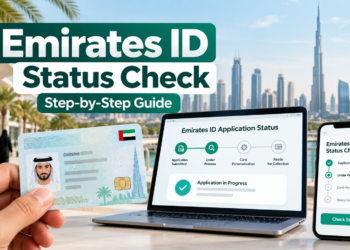
- Visit ICP’s official ID Card Status page.
- Enter the PRAN/application reference for a new card, or your existing Emirates ID number for eligible renewal or replacement checks.
- Tap Check Application Status, read the current result and follow any instructions.
Without the reference number, ask the sponsor, employer or typing centre that submitted the request. This page does not collect private ID information.
Need more help? Read the complete Emirates ID status-check guide, our explanation of passport number versus PRAN, or the renewal, fine and ID services directory.
Common status-check mistakes
A UAE visa validity check is not the same as Emirates ID card tracking. Entering a passport number into the ICP ID Card Status field, visiting an unofficial tracking website, or using a reference from the wrong application can cause confusion. Always use ICP’s official service and keep the original receipt.
When this quick guide is not enough
If your result shows a pending biometric appointment, missing document, delayed printing or unclear delivery information, use the in-depth troubleshooting and card delivery guide. This short article is intended for readers who simply need a direct route to their existing ID application status.
What is an Emirates ID?
The Emirates ID is the UAE’s official identity card for citizens and eligible residents. ICP manages card applications and renewals. The application-status check is separate from checking whether a residence visa is valid.
Where can you find your PRAN?
Look on the application confirmation or receipt from ICP, an approved typing centre or the person who submitted the application for you. A PRAN identifies the request; it is not the same as your passport number. If you have no reference, contact the submitting office rather than guessing.
What if your status does not appear?
- Verify the full reference and ensure you are using ICP’s ID Card Status service, not a visa validity checker.
- Check the submitting sponsor or service centre for the latest application reference.
- For missing documents, biometric appointments or delayed delivery, consult the full Emirates ID tracking and troubleshooting guide.
- For broader card renewal or replacement questions, visit the Emirates ID services directory.
Older Emirates ID illustrations
The images below are retained from previous editions for background reference. Some show older ICP/ICA screens and may not match today’s live government interface. Follow the official ICP website for current instructions.


Note: Previous editions quoted fixed visa costs, renewal fines and guaranteed card processing times. Those historic amounts have been removed because they vary by application and can change. Check ICP Smart Services for the applicable current amount.
Related Emirates ID help
If you need a more detailed explanation, visit the complete Emirates ID application-status and delivery guide. If you have only your passport, our passport-number versus PRAN explainer describes the correct official service. For renewal, replacement and fine enquiries, see the Emirates ID services directory.
Last editorial review: October 2026. This page explains the tracking process but does not provide a government verification service.